How Does Skool Work?
An architectural exploration of Skool's member lifecycle, community mechanics, classroom delivery, and automated gamification loops.
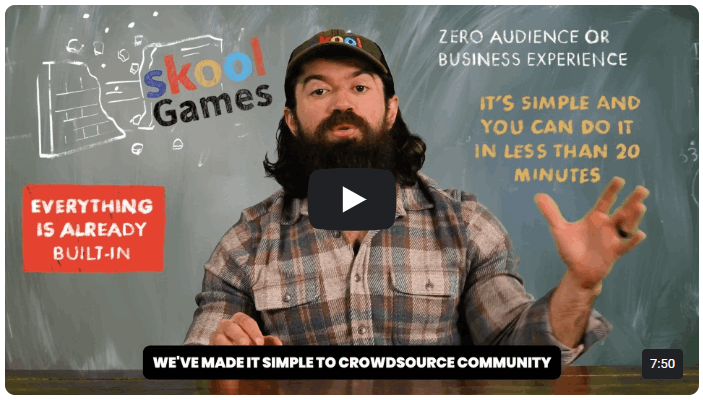
How Skool Works: Simple 3-column architecture uniting community posts and courses. Click to start 14-day free trial.
How does Skool work?
Skool works by integrating four workflows into one workspace: members join via email or Stripe checkout, participate in topical discussion feeds, access video curriculum in the Classroom, RSVP for live events in the local-timezone Calendar, and earn engagement points through peer likes to unlock rewards.
Key Takeaways
- Member lifecycle starts with an automated email invitation or integrated Stripe checkout paywall.
- The Community feed organizes discussions by administrative categories with rich text and media embeds.
- The Classroom hosts structured modules gated by subscription status or unlocked by gamification level.
- The Calendar synchronizes live coaching calls across timezones and links directly to Zoom or Google Meet.
Table of Contents
1. The Member Onboarding Lifecycle
When a creator creates a Skool group, they configure the group privacy as either Public (anyone can view content, members request to post) or Private (content hidden until approved or paid).
For paid communities, Skool generates a secure checkout page powered by Stripe. When a member inputs payment details, their recurring billing is initiated, and their user account is instantly authenticated. Onboarding survey questions can be configured to capture phone numbers, goals, or business revenue data upon entry.
2. The Community Discussion Engine
The Community feed serves as the central plaza. Community admins create distinct categories (e.g., Introductions, Wins & Case Studies, Ask for Feedback, Technical Support).
Members compose posts with rich text formatting, file attachments, Loom screen recordings, and YouTube links. Every post supports threaded comments, user @mentions, and an emoji like reaction that drives the gamification engine.
3. Classroom Curriculum Architecture
Within the Classroom tab, administrators organize courses into logical sets. Each course contains modular chapters and individual lessons. Lesson features include:
- Responsive video players (supporting YouTube, Vimeo, Wistia, and Loom embeds).
- Rich text lesson notes, downloadable PDF cheat-sheets, and external reference links.
- Individual lesson discussion threads, allowing students to ask contextual questions directly beneath specific curriculum topics.
- Actionable completion toggles ('Mark as Done') that calculate student course progress percentage.
4. The Timezone-Aware Event Calendar
Scheduling live sessions across global audiences is notoriously error-prone with static time zones. Skool's Calendar automatically calculates and displays event times in the exact local time zone of the visitor's device.
Members can click 'Add to Calendar' to export events directly to Google Calendar, Outlook, or Apple iCal. Event descriptions typically house direct join links for Zoom, Google Meet, or YouTube Live streams.
5. The Gamification Feedback Loop
Skool replaces artificial moderator enforcement with social incentive design. The gamification mechanics operate on a closed loop:
- Member A publishes an insightful case study or helpful reply.
- Other community members click 'Like' on the post or comment.
- Member A receives 1 point per like, advancing along a progression ladder (Levels 1 through 9).
- Reaching higher levels can automatically grant access to locked Classroom bonus courses, VIP calls, or private status badges.
Frequently Asked Questions
Can members view the community without creating an account?
In Public groups, non-members can browse discussion posts and public classroom preview modules. To comment, like, or access private modules, they must sign up for a free or paid Skool account.
Ready to Build Your Community?
Start your 14-day free trial on Skool with no commitment. Set up your classroom, calendar, and gamification loop in minutes.
Start Your 14-Day Free Skool Trial →